Midi tools (eg. Monitor, Backup, etc) are displayed on screen only when device is set correctly and available to your browser (a midi device may not available if it is used in another program, eg. DAW)
# Refresh midi devices #### Refresh midi devices Sometimes, a device may not be available in the dropdown list: - it is being used by another program - device was turned on after loading the page - etc. In this case, **Refresh midi devices** button can be used to reload midi devices: [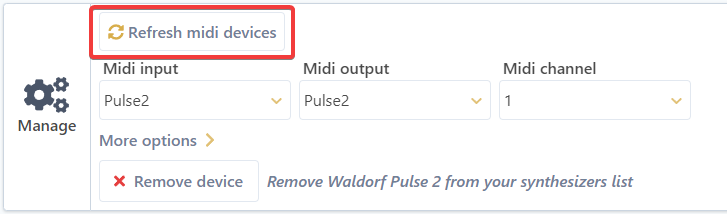](https://wiki.synthsonline.com/uploads/images/gallery/2021-12/image-1640735726627.png) If available, device can be selected in the dropdown list.In some cases, this will not be enough to correctly refresh the devices list. In the latter case, you can try reloading the page or restarting the browser.
# Remove deviceRemoving a device cannot be undone and disables access to associated data (Files, Banks, etc.)
To remove a device: - Expand the **More options** section:[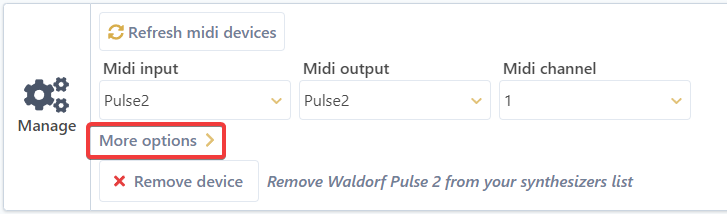](https://wiki.synthsonline.com/uploads/images/gallery/2021-12/image-1640733083167.png) - Click the **Remove device** button - A validation screen appears, click **Confirm** to remove the device.[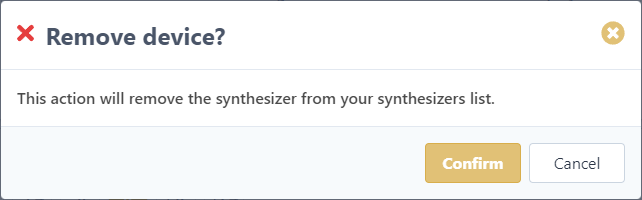](https://wiki.synthsonline.com/uploads/images/gallery/2021-12/image-1640733484064.png)