If a note gets stuck, press it again to stop it
### Mobile Mobile version of the keyboard only displays one octave: [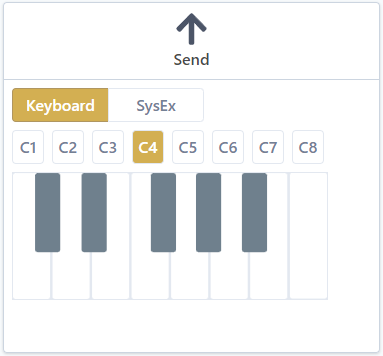](https://wiki.synthsonline.com/uploads/images/gallery/2023-01/QwCimage.png) The octave to play can be selected with C1-C8 buttons. C4 is the default.Tapping each note is necessary, sliding between notes has no effect.
# System Exclusive The **SysEx** tab allows to send arbitrary system exclusive messages to a synthesizer. [](https://wiki.synthsonline.com/uploads/images/gallery/2023-01/CBrimage.png)Be sure you know what sent messages do to your synthesizer. Sending incorrect messages may damage your synthesizer.
Do not send firmware updates or other large messages with **synthsonline.com**. The way the browser transmits midi data is not adapted to these kinds of sysex messages.
### Send a system exclusive message To send a message, just type or paste it inside the text field. When typing a message, messages can be detected as valid or invalid. #### Valid messageValid message means it is well formed. It does not mean the message is supported by the synthesizer. No synthesizer specific checks are made for system exclusive messages.
To send a message, it has to be valid. A valid message is a well formed system exclusive message. In such case: - the send button will be active - for supported messages, additional information, such as patch name, may by displayed - clicking the send button will send the message to the synthesizer Example of a valid message, detected as a patch: [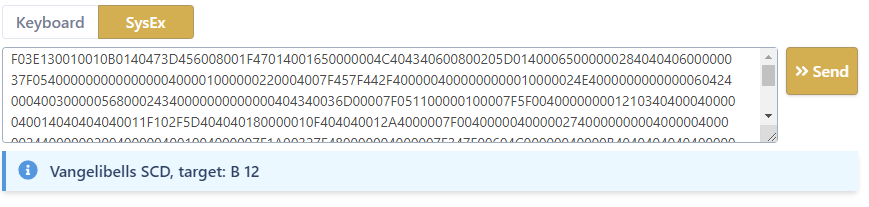](https://wiki.synthsonline.com/uploads/images/gallery/2023-01/oBuimage.png) #### Invalid message Typing a system exclusive message that is not valid will: - display an error - make the send button inactive Example: [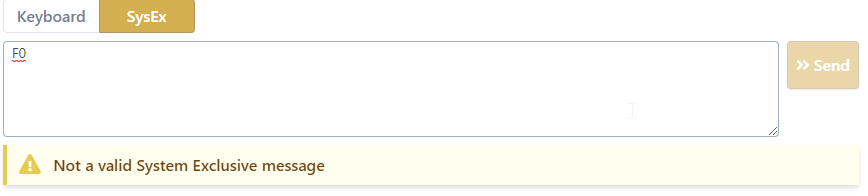](https://wiki.synthsonline.com/uploads/images/gallery/2023-01/Ulrimage.png) Error will disappear and send button will be active as soon as a valid system exclusive message is present in the text field.Invalid message means it is not well formed. It does not mean the message is not supported by the synthesizer. No synthesizer specific checks are made for system exclusive messages.