
Synth messages
The monitor displays events coming from your synthesizer, e.g. :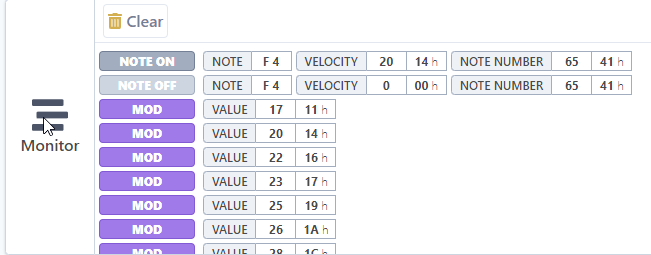
Clear messages
Older incoming messages are removed automatically. However, if you want to delete all messages history you can:
- Click on Clear button at the top of the Monitor section.
Messages are cleared immediately. This operation cannot be reverted.
Expand monitor view
It is possible to expand the monitor view for greater confort. While expanded, the monitor uses the whole main space. Other sections are hidden.
To expand the monitor view:
- Click on
 button
The monitor is now bigger and other sections such as Manage and Backup are hidden.
Shrink monitor view
To shrink the monitor view:
-
Click the
 button

The view will revert to its original state and hidden sections will be visible again.